
A gear pair can look correct on screen and still fail at the handoff. The usual cause is not the involute profile or the ratio. It is the file format. In STEP versus STL manufacturing, the right choice depends on what happens next: machining, quotation, fixture design, polymer printing, metal printing, or dimensional inspection. These formats describe geometry in fundamentally different ways, and that difference reaches the workshop floor.
For drivetrain parts, file choice is not an administrative detail. Tooth flanks, bore tolerances, bearing seats, keyways, housing interfaces and mating faces all need geometry that the next tool can interpret correctly. Export the format that preserves the decisions required downstream.
STEP versus STL manufacturing: the practical difference
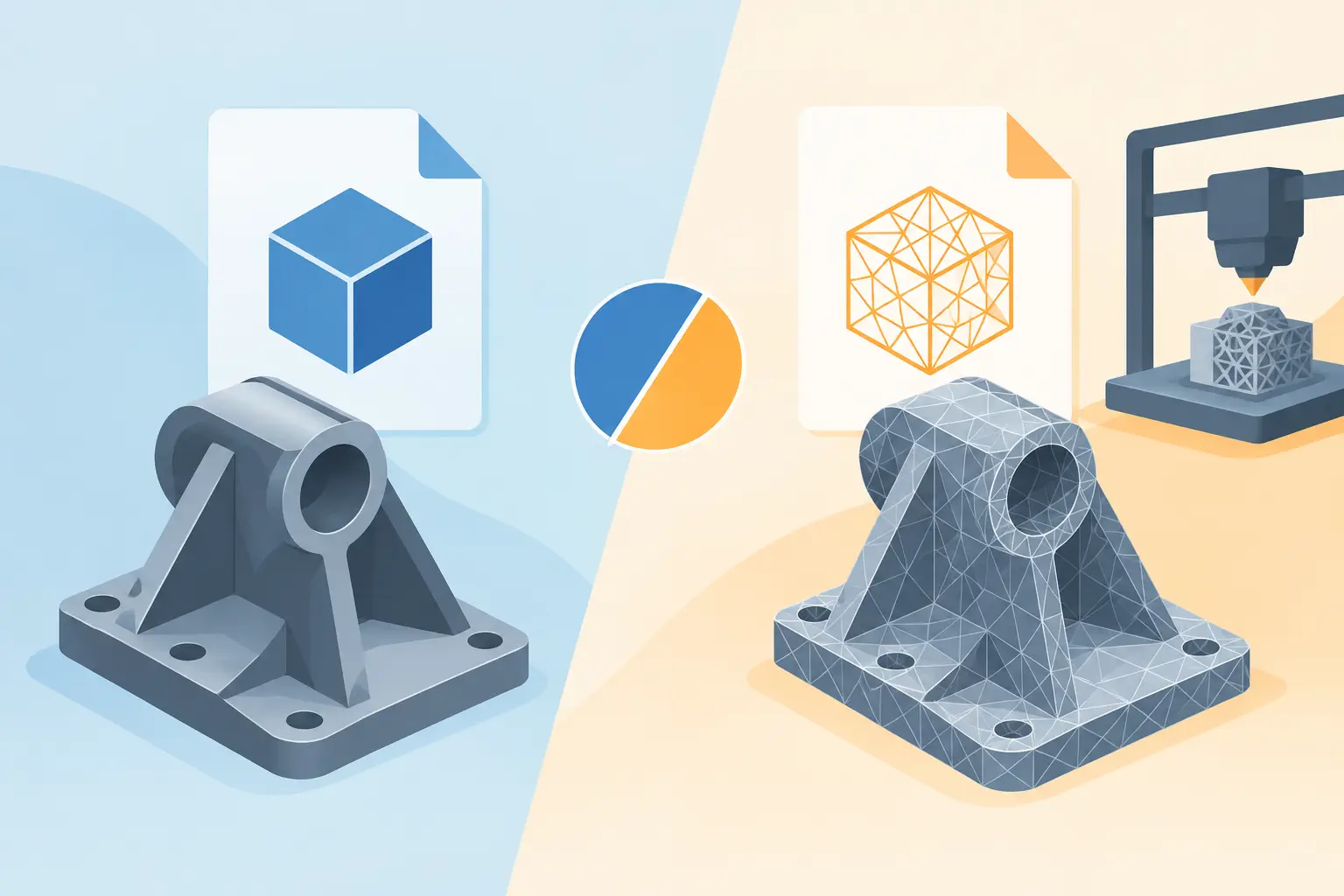
STEP is a solid-model exchange format. It describes geometry through mathematically defined surfaces, curves and topology. A cylindrical bearing seat remains a cylinder. A helical tooth flank remains a defined surface. Planes, holes, edges and solid bodies retain their engineering meaning well enough for most CAD, CAM and inspection workflows.
STL is a tessellated mesh. It approximates the outside of a part with connected triangles. The smaller and denser those triangles, the closer the mesh follows the intended shape. But the original surfaces are no longer present as editable engineering features. A 20 mm bore becomes a ring of facets, not a true cylinder.
That is why STEP and STL are not interchangeable versions of the same handoff. STEP is normally the production geometry for subtractive manufacturing and engineering collaboration. STL is normally the practical geometry for slicers and many additive-manufacturing workflows.
Neither is universally better. The correct question is: what does the manufacturer need to do with the file?
Choose STEP when the part must be engineered downstream
Send STEP when a supplier, colleague or production team needs to open the model in CAD or CAM and make engineering decisions from it. This is the standard choice for machined gears, shafts, housings, adapters and assembled transmission components.
A machinist programming a gear blank needs reliable diameters, faces, holes and reference geometry. A housing supplier needs to inspect bearing bores, mounting patterns and wall transitions. A machine builder may need to position the component inside a larger assembly, add guards or create a fixture. STEP supports these uses because it preserves precise boundary representation rather than reducing the model to a triangular skin.
For a compact gearbox, STEP is especially useful when the exported model includes more than one isolated part. The relationship between gears, shafts, bearings, spacers and housing features matters. Assembly geometry gives downstream users a practical reference for checking clearances, access, mounting and serviceability.
STEP also makes revision work less painful. If the centre distance changes, the output can be re-imported, measured and incorporated into a broader CAD model without first trying to reconstruct nominal geometry from a mesh. It is not always fully parametric after import, but it remains a proper solid representation that can be interrogated and used reliably.
Typical STEP manufacturing cases
STEP is the sensible default for CNC milling and turning, laser or waterjet workflows that begin from CAD conversion, mould tooling, cast-part development, CMM planning and supplier quotation for precision components. It is also the better format where tolerances, drawing references or inspection requirements will be added after the mechanism design stage.
For gears, use STEP when the tooth form itself is functionally important. A true involute gear is not merely a visual pattern. Its flank geometry controls contact behaviour, backlash, load distribution and compatibility with the mating gear. If a downstream party needs to inspect, machine or redesign that geometry, give them surfaces rather than a faceted approximation.
Choose STL when additive manufacturing is the next operation
STL earns its place when the next application is a slicer. Most desktop and industrial additive workflows accept STL directly, and a tessellated model is usually all the software requires to create layer paths. For a quick FDM prototype, a fit-check housing, a test gear or a print-in-place concept, STL is direct and widely supported.
The key is selecting suitable mesh resolution. Too coarse, and circular bores, helical teeth and curved housing walls become visibly faceted. Too fine, and the file becomes unnecessarily large, slow to process and awkward for some slicers. The target is not the highest possible triangle count. It is enough geometric fidelity for the print process, material and intended function.
An FDM printer with a 0.4 mm nozzle cannot reproduce arbitrary surface precision simply because an STL contains millions of triangles. In that situation, an extremely fine mesh increases file weight without improving the part. Conversely, a coarse STL for a small module gear can distort tooth flanks enough to affect meshing. Resolution should follow the smallest feature that needs to survive printing and the tolerance the process can realistically achieve.
STL is also useful for visual and physical iteration. Print a gearbox housing to check motor clearance, fastener access and assembly sequence before committing to machined metal. Print a low-load gear set to confirm ratio, packaging and motion direction. These are valid uses, provided the prototype is not mistaken for proof of final production performance.
What STL does not carry
An STL does not carry feature history, manufacturing intent, material specification, tolerances or reliable surface definitions. It cannot tell a workshop that a bore is an H7 fit, that a face is a datum, or that a gear must mate with a specified module and pressure angle. Those requirements belong in drawings, notes, specifications and the engineering conversation around the part.
This matters when an STL is sent for machining because it is convenient. A capable supplier may convert or rebuild the mesh, but that adds interpretation, time and risk. The apparent saving at export can become a delay at quotation or an avoidable question from the workshop.
The gear-specific risks of using the wrong format
Transmission components expose weak handoffs quickly. Gear teeth have repeated, small-scale geometry. A mesh that is acceptable for a cosmetic enclosure may be poor for a pinion with narrow teeth and a controlled bore. Faceting can affect the apparent root form, flank smoothness and bore roundness, particularly on small gears or high-resolution tooth systems.
For 3D-printed functional gears, STL is often still the right format because the slicer needs a mesh. The engineering task is to export a mesh fine enough to represent the tooth shape, then design around the actual process limits. Consider layer height, nozzle width, shrinkage, fibre-filled material behaviour, orientation, tooth load and post-processing. A mathematically perfect model cannot compensate for unsuitable print settings or an undersized shaft interface.
For machined gears, STEP is normally the better handoff, but geometry alone is not a complete gear specification. Manufacturing route matters. A supplier may hob, mill, shape, wire-cut or grind the part, each with different constraints and economics. Heat treatment, material, surface finish, backlash target, quality grade and inspection method may still need to be specified separately.
Configure, inspect, validate, export
A disciplined export workflow starts before the file is generated. Configure the mechanism using the intended tooth system, ratio, face width, shaft dimensions, bearing interfaces and housing constraints. Then inspect the assembled geometry rather than judging parts in isolation.
Check that the gear pair has adequate clearance, that shafts have usable support, that bearing fits are plausible and that the housing allows assembly. An exploded view is useful here because it reveals whether spacers, retaining features and interfaces can actually be built and assembled. Decisions stay visible when the mechanism is reviewed as a system.
Next, validate the purpose of the export. For a printed prototype, ask whether the mesh resolution and printer process can reproduce the smallest useful feature. For machining, ask whether the STEP model includes the final solid geometry and whether separate drawings or specifications are needed. For a supplier quote, ask whether the recipient needs individual parts, an assembly, or both.
GearSuite supports this workflow by generating manufacturable solids from mechanism parameters, then providing STL, STEP and DXF exports for the appropriate next operation. The point is not to offer formats as a menu of file extensions. It is to preserve the geometry needed to make a real part.
A simple decision rule
If the recipient needs to edit, machine, inspect, quote from or integrate the design into CAD, send STEP. If the recipient needs to slice and print the geometry, send STL. When a project includes both prototype printing and final machining, export both from the same validated design rather than converting one format into the other later.
The file should match the next decision in the build process. Choose STEP for engineering geometry. Choose STL for print-ready mesh geometry. Then make sure the mechanism behind the export is ready to be manufactured, not merely ready to be viewed.