
Matched rack and pinion
Build both members from the same module, pressure angle and ISO basic rack profile.
ONLINE RACK AND PINION GENERATORBuilt for real geometry
Generate a matching involute pinion and straight or helical rack, calculate travel per revolution and validate the tooth geometry before export.
No installation · Guest access available · Free account optional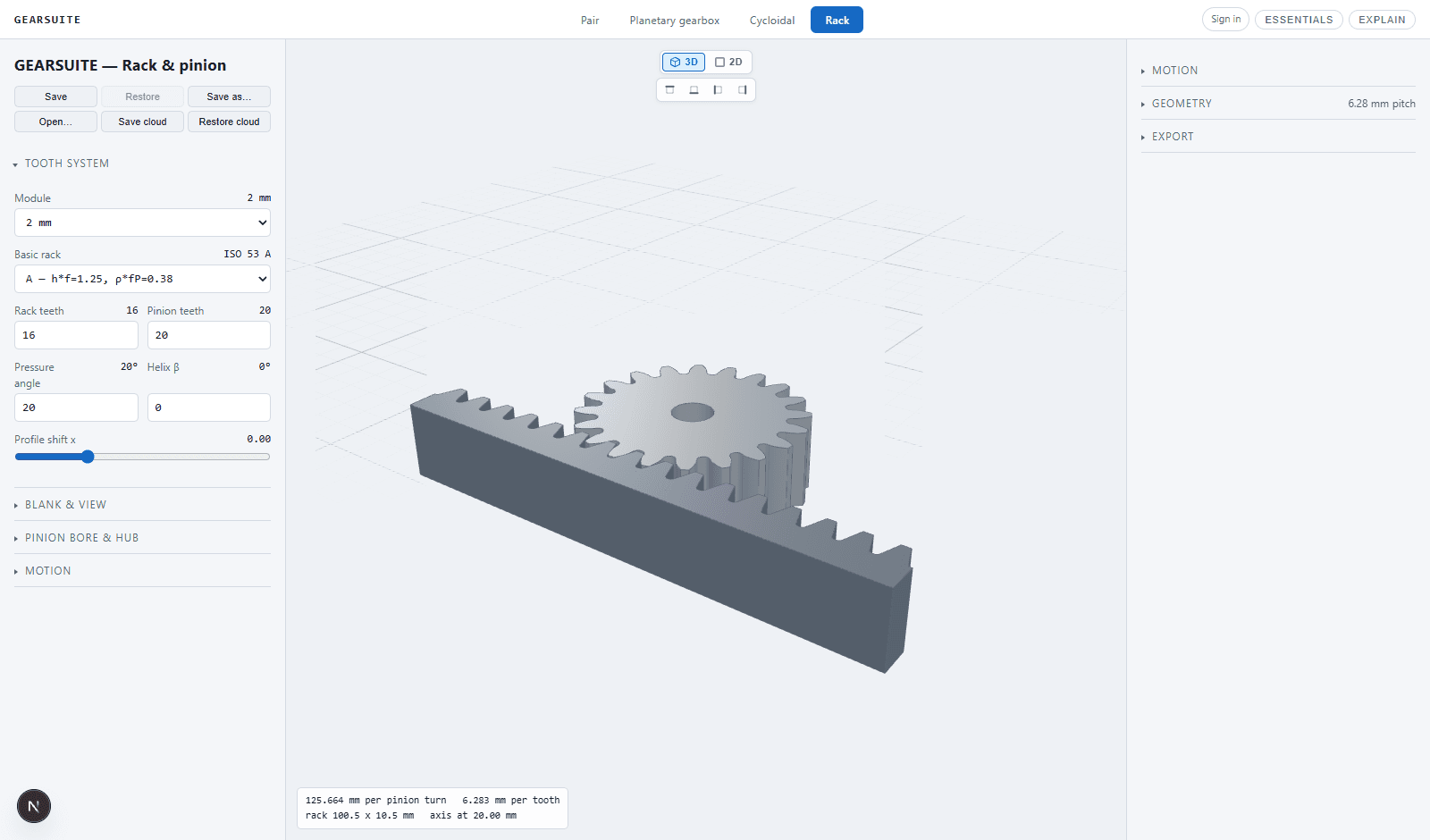
FROM CALCULATION TO PARTOne continuous model
Rack and pinion systems translate rotation into a known linear distance, but only when both members share the same module, pressure angle and helix system. GearSuite derives the rack and pinion from one definition so the pitch and flank geometry cannot drift apart.
The workspace reports pinion diameter, pitch, travel per revolution and mesh behaviour while allowing the blank, bore and mounting geometry to be prepared for a real linear-motion mechanism.
CAPABILITIESUseful engineering detail
Build both members from the same module, pressure angle and ISO basic rack profile.
Configure spur engagement or a helical rack and pinion pair for smoother motion.
Read pitch-line travel per pinion revolution and relate motor speed directly to linear motion.
Control rack length, section, pinion face width, bore and shaft-fixing details.
Catch pinions whose tooth count or shift creates an unusable root or tooth tip.
Inspect engagement continuously and export the supported rack and pinion geometry for downstream work.
WORKFLOWFour direct steps
Choose module, pressure angle, rack profile and straight or helical engagement.
Select pinion tooth count, rack length and the required speed or travel.
Configure pinion bore, hub, face width and practical rack blank dimensions.
Review the animated mesh and download supported manufacturing geometry.
GEARSUITEOne engineering suite
Design spur and helical pairs with true involute tooth geometry.
 →
→Build compact reducers from the eccentric input to the output pins.
 →
→Configure complete trains with sun, planets, carrier and ring gear.
 →
→Turn rotary input into controlled linear motion with matched geometry.
 →
→QUESTIONSDirect answers
At the pitch line, one pinion revolution advances the rack by the pinion pitch circumference. GearSuite calculates that distance directly from module and tooth count.
Yes. The generator supports a helix angle and derives the matching rack and pinion geometry from the shared normal tooth system.
Yes. The pinion can use round, D-cut or keyed bores with optional hub and shaft-fixing details.
ONLINE RACK AND PINION GENERATOR