
True involute geometry
Generate involute flanks and the trochoidal root produced by the selected ISO basic rack instead of a decorative tooth outline.
ONLINE INVOLUTE GEAR GENERATORBuilt for real geometry
Build parametric spur and helical gear pairs from the tooth system up. GearSuite calculates the working mesh, flags geometry problems and produces manufacturing files without installing CAD software.
No installation · Guest access available · Free account optional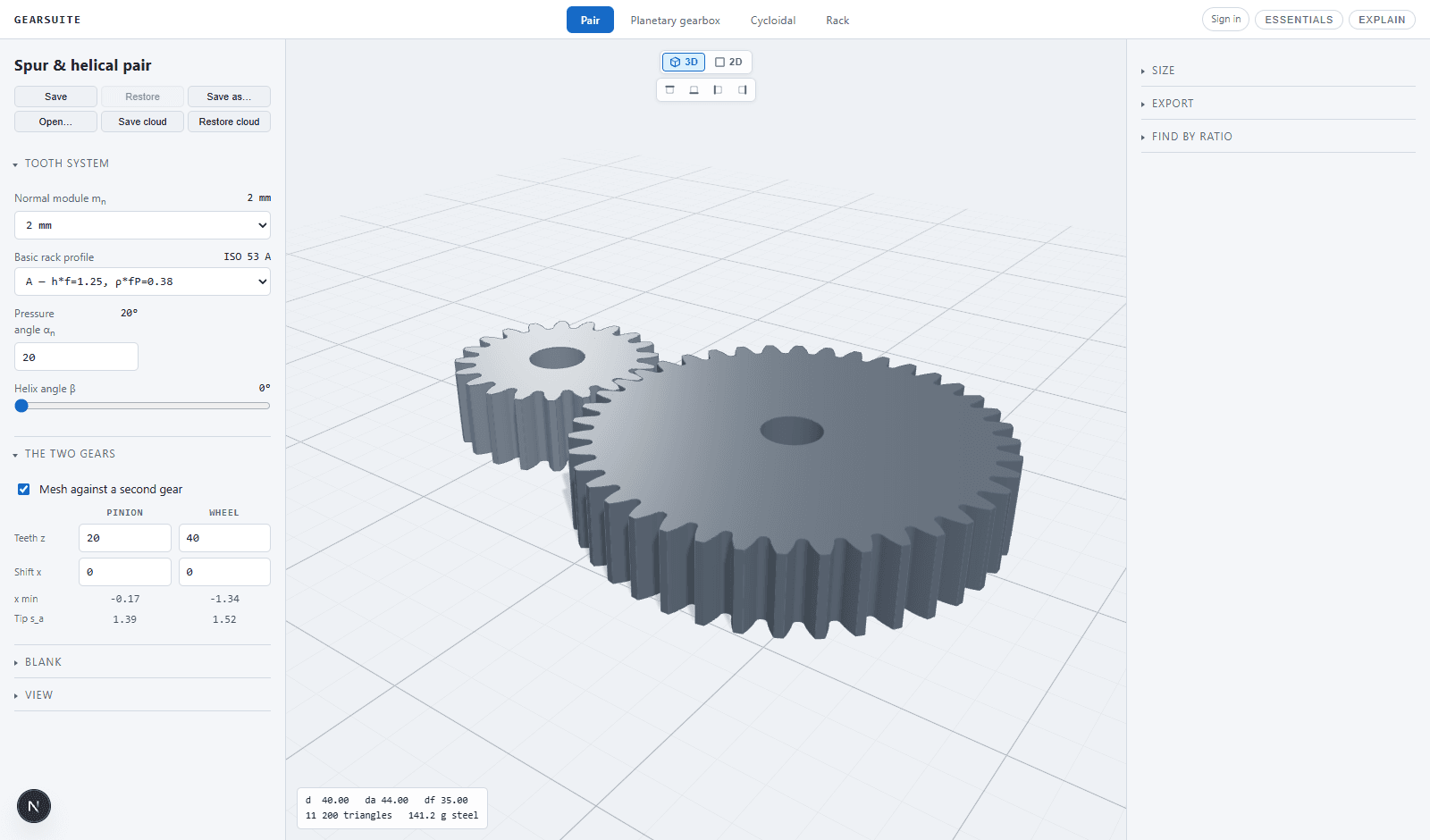
FROM CALCULATION TO PARTOne continuous model
A useful gear generator has to calculate more than an outside diameter and draw repeated teeth. GearSuite builds the involute flank, trochoidal root and basic rack relationship, then evaluates the two gears together at their working centre distance.
Change module, tooth count, pressure angle, helix angle or profile shift and the mating geometry updates immediately. The result is a readable engineering model with the dimensions and warnings needed before a part reaches a printer, machine shop or larger CAD assembly.
CAPABILITIESUseful engineering detail
Generate involute flanks and the trochoidal root produced by the selected ISO basic rack instead of a decorative tooth outline.
Design external spur gears or opposite-hand helical pairs with transverse geometry derived from the normal module.
See minimum shift for undercut avoidance, tip thickness and the effect of combined shift on the working centre distance.
Configure round, D-cut or keyed bores, optional hubs and grub-screw geometry around the generated tooth form.
Inspect contact ratio, clearance, centre distance and direct explanations when a proposed pair cannot be built.
Export STL meshes, STEP solids and a 1:1 DXF mounting template with the correct relative shaft phase.
WORKFLOWFour direct steps
Choose module, pressure angle, ISO rack profile and spur or helical geometry.
Set pinion and wheel teeth, profile shifts, face width, bores and shaft fixing.
Review contact ratio, clearances, dimensions and the animated 3D engagement.
Download geometry for printing, machining, mounting or continued CAD work.
GEARSUITEOne engineering suite
Design spur and helical pairs with true involute tooth geometry.
 →
→Build compact reducers from the eccentric input to the output pins.
 →
→Configure complete trains with sun, planets, carrier and ring gear.
 →
→Turn rotary input into controlled linear motion with matched geometry.
 →
→QUESTIONSDirect answers
Yes. GearSuite generates the involute flank from the selected module and pressure angle and uses the corresponding rack geometry for the tooth root.
Yes. Set the helix angle and hand for the pinion; an external mating wheel is generated with the opposite hand.
The gear workspace supports STL mesh export, STEP solid export where the selected features are supported, and DXF mounting references.
ONLINE INVOLUTE GEAR GENERATOR